Does Strava Work on Treadmills and How to Use It Effectively
Strava doesn’t directly track treadmill runs since it relies on GPS, which won’t work indoors. That means when you’re running on a treadmill, Strava can’t automatically record your route or pace like it does outside.
But don’t worry—you can still use Strava effectively for your treadmill workouts. One way is to manually enter your treadmill workout details, like distance and time. It’s simple and keeps your training consistent on the app.
Another option is syncing a compatible fitness tracker that automatically records your indoor run metrics. This way, you get valuable insights without extra effort.
If you want to optimize your treadmill tracking or explore helpful apps and tips, stick around. There’s plenty of useful info ahead to help you make the most of your indoor runs!
Key Takeaways
– Strava cannot automatically track treadmill runs because there’s no GPS signal indoors.
So, it won’t record your pace or route like it does outside.
– But don’t worry! You can manually log your treadmill workouts in Strava by entering the distance, time, and other details after your run.
It’s a simple way to keep your treadmill sessions in your training history.
– Another option is to pair Strava with compatible fitness trackers. These devices use sensors to sync treadmill run data automatically with Strava.
This way, you get more accurate tracking without extra effort.
– You might also want to use apps like Nike Run Club or Garmin Connect alongside Strava.
They offer enhanced treadmill workout tracking features that can complement your Strava data.
– To get the best results, make sure to calibrate your treadmill regularly, keep your devices updated, and double-check your data for accuracy.
Doing this can really improve how well your treadmill runs are tracked indoors.
Understanding Strava’s GPS Dependency

Although Strava is designed to track your outdoor activities using GPS, it relies heavily on satellite signals to record your route, speed, and distance accurately. When you run or cycle outdoors, your phone or GPS device connects with satellites to pinpoint your location and map your movements in real time.
This precise tracking helps you analyze your performance, see your route, and compare your stats over time. However, since treadmills are indoors and don’t provide GPS data, Strava can’t automatically capture your route or pace from satellite signals.
You’ll notice that without GPS input, Strava won’t display a mapped route or speed details. Understanding this dependency helps you realize why Strava’s automatic tracking isn’t ideal for treadmill workouts.
How to Manually Log Treadmill Runs on Strava
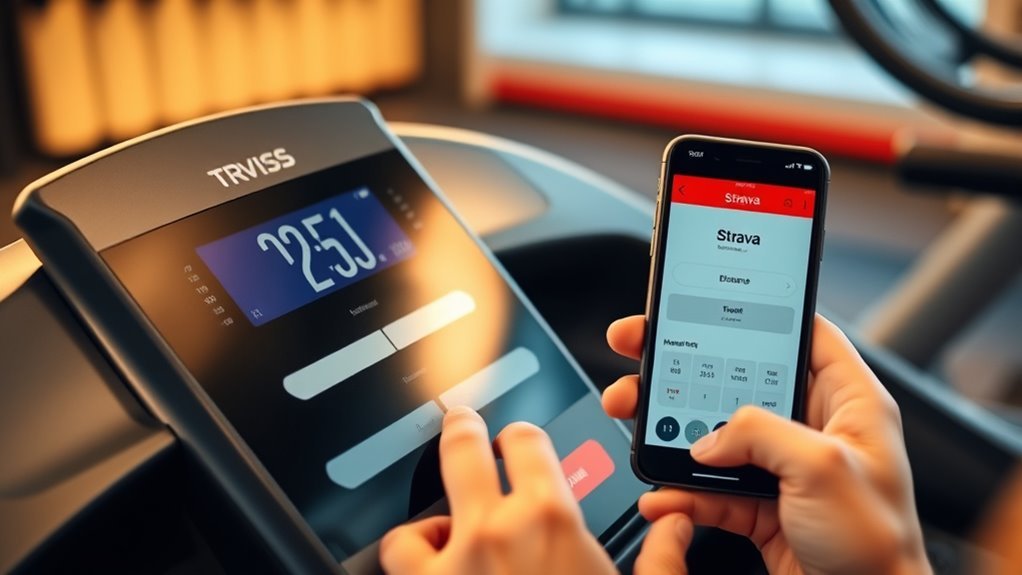
If you’re running on a treadmill, Strava won’t track your run automatically, so you’ll need to log it manually. You can enter your distance, time, and even adjust your pace to match your treadmill workout.
This way, your activity stays accurate and your training data remains consistent. It’s pretty simple once you get the hang of it!
Logging Treadmill Runs
When you finish a treadmill run, you can manually log the workout on Strava to keep your training consistent. This helps track your progress even without GPS data.
To log your run, open Strava, tap the “+” icon, and select “Manual Activity.” Then, enter essential details like distance, time, and calories burned.
Make sure to include the date and time of the run, the exact distance covered on the treadmill, and the total duration of your workout. Also, choose the type of activity as “Run.”
Don’t forget to add any notes about the session, like the incline level or intervals you did. This manual entry guarantees your treadmill runs contribute to your overall training stats and goals without relying on automatic tracking.
Adjusting Distance and Pace
Since treadmill readings can sometimes be inaccurate, you’ll want to adjust the distance and pace manually when logging your run on Strava. After finishing your treadmill workout, open the Strava app and choose to create a manual activity.
Enter the exact distance from the treadmill display, then input the total time you ran. Strava will automatically calculate your pace, but you can tweak this if you notice discrepancies.
Be sure to double-check the treadmill’s distance against your effort level to ensure precision. This way, your training data stays reliable, helping you track progress and set goals effectively.
Manually logging also keeps your Strava feed consistent, even if your treadmill’s sensors aren’t perfect. It’s a simple step that goes a long way in keeping your records accurate.
Using Fitness Trackers to Sync Treadmill Workouts

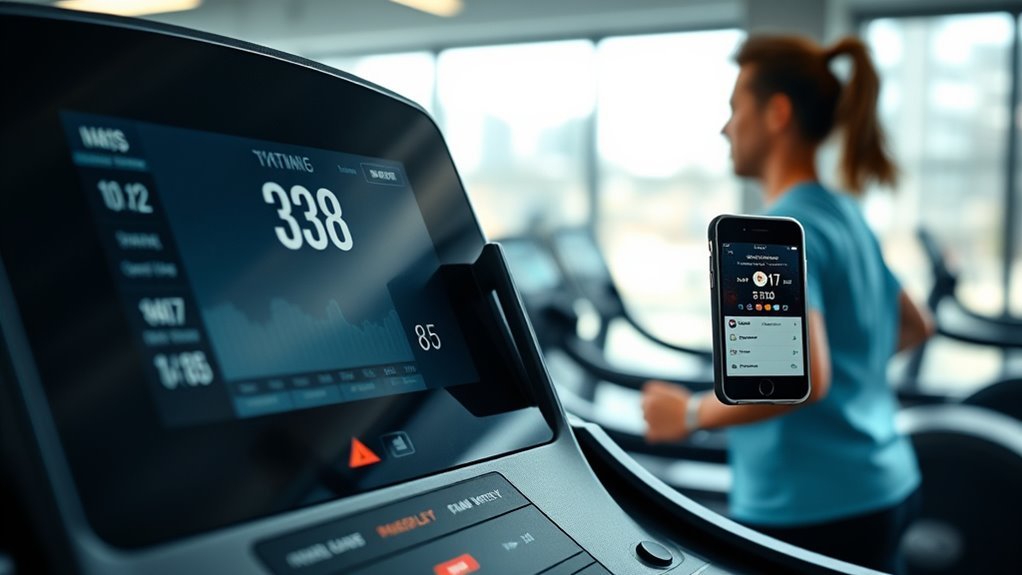
You can sync many fitness trackers with Strava to automatically record your treadmill workouts, but compatibility varies by device. These trackers use sensors to capture indoor running data like distance, pace, and heart rate.
Understanding which devices work best helps you keep accurate logs without manual entry. It’s pretty handy once you get it set up!
Syncing Devices Compatibility
Although Strava doesn’t directly track treadmill workouts, you can still sync your exercise data by using compatible fitness trackers. These devices capture your indoor running metrics and automatically upload them to Strava. This way, your treadmill sessions count toward your overall fitness progress.
To make the most of this, you’ll want to choose a tracker that pairs well with both your treadmill and Strava.
Consider these compatibility factors:
- Supports Bluetooth or ANT+ for easy syncing
- Compatible with Strava’s app or third-party platforms like Garmin Connect
- Accurate indoor activity tracking features
- Battery life sufficient for longer workouts
- User-friendly interface for quick data uploads
Picking the right tracker can make all the difference, so keep these points in mind!
Tracking Indoor Running Data
Choosing the right fitness tracker sets the stage for accurately capturing your treadmill workouts. When you wear a compatible device, it records essential metrics like pace, distance, heart rate, and calories burned.
Many trackers automatically detect indoor runs, syncing data seamlessly with Strava through Bluetooth or companion apps. To guarantee your treadmill activity appears correctly, start your workout on both the tracker and Strava app simultaneously or use a third-party app that bridges the connection.
After your run, review the synced data to verify accuracy and make manual adjustments if needed. By relying on a capable fitness tracker, you’ll get detailed insights into your indoor runs, helping you monitor progress and stay motivated even when you’re off the road.
Benefits of Tracking Treadmill Runs on Strava
When you track your treadmill runs on Strava, you gain valuable insights that help improve your performance and motivation. Recording your indoor workouts keeps you accountable and lets you see progress over time, even without outdoor data.
You’ll also connect your treadmill efforts with your overall training plan to maintain consistency.
Here are key benefits you’ll enjoy:
- Monitor pace, distance, and heart rate trends indoors
- Compare treadmill runs with outdoor workouts for balanced training
- Set and achieve specific treadmill goals through Strava’s interface
- Share your treadmill achievements with a supportive community
- Analyze splits and recovery patterns to optimize sessions
Using Strava for treadmill runs turns your indoor workouts into data-driven, motivating training experiences.
Common Challenges When Using Strava Indoors
Tracking your treadmill runs on Strava brings many benefits, but you might face some hurdles along the way. One common challenge is inaccurate GPS data since treadmills don’t provide location tracking, causing Strava to rely on estimated distances or manual input. This can affect your pace and route details, making your activity less precise.
Another issue is syncing problems if your treadmill isn’t compatible with Strava or doesn’t connect smoothly via Bluetooth or third-party apps. You may also notice discrepancies in calorie counts and elevation gain, as treadmills can’t replicate outdoor terrain.
Finally, indoor runs might feel less motivating without the outdoor visual cues. And that can impact how you engage with the app’s social features or challenges. But once you get the hang of it, you’ll find ways to make the most out of your indoor workouts!
Tips for Accurate Strava Data on Treadmill Sessions
Although treadmills don’t provide GPS data, you can still guarantee your Strava sessions reflect your effort accurately by calibrating your treadmill settings and manually inputting key details.
To make your treadmill workouts count on Strava, focus on precision and consistency. Here are some tips to help:
- Set your treadmill’s incline and speed accurately before starting.
- Use Strava’s manual activity feature to enter distance and time if needed.
- Regularly calibrate your treadmill to ensure distance measurements are correct.
- Pair Strava with a foot pod or heart rate monitor for better data.
- Keep your treadmill firmware updated for peak performance.
Alternative Apps for Treadmill Running Tracking
If you find Strava’s treadmill tracking options limiting, several alternative apps can offer more tailored features for indoor running. Apps like Zwift provide virtual running environments that make treadmill workouts more engaging. They sync with your treadmill’s speed and incline to simulate outdoor routes.
Nike Run Club offers guided treadmill workouts and auto-pause features that adapt to your pace, making logging easier. Garmin Connect works well if you use a Garmin device, capturing detailed treadmill metrics like cadence and heart rate.
Another option, Runkeeper, lets you manually enter treadmill data and track progress over time with customizable goals. These apps often provide more accurate indoor running stats and interactive experiences. They help you stay motivated and monitor your treadmill workouts more effectively than Strava alone.
Integrating Strava Data With Other Fitness Platforms
When you want a thorough view of your fitness progress, integrating Strava data with other platforms can be a game-changer. It helps you combine treadmill runs with outdoor activities, offering a complete picture.
You can sync Strava with apps like Garmin Connect or Fitbit to track your heart rate and calories more accurately. Using platforms like TrainingPeaks or MyFitnessPal alongside Strava helps you analyze performance and nutrition together.
Plus, exporting Strava data to Excel or Google Sheets lets you customize your progress reports.
Here’s what you should consider when integrating Strava with other platforms:
- Compatibility with your treadmill and wearable devices
- Automatic syncing options to avoid manual uploads
- Data accuracy across platforms
- Cross-platform workout analysis features
- Privacy settings and data sharing controls
Frequently Asked Questions
Can Strava Track Treadmill Workouts Without a Heart Rate Monitor?
Strava can track treadmill workouts without a heart rate monitor, but it relies on manually entered distance and time or phone GPS, which may be inaccurate indoors.
Using a heart rate monitor improves tracking precision considerably. So, if you want more accurate data, it’s a good idea to use one.
Does Strava Offer Treadmill-Specific Training Plans?
Strava doesn’t offer treadmill-specific training plans directly, but you can create custom workouts or follow general running plans.
Use manual entry to log treadmill runs and adapt plans to fit your indoor sessions effectively.
It’s a handy way to keep your training on track, even when you’re indoors.
How Does Strava Handle Treadmill Elevation Changes?
Strava doesn’t automatically track treadmill elevation changes since treadmills don’t provide GPS data. You’ll need to manually adjust elevation or use a compatible sensor to record incline accurately.
This helps you get better workout analysis and keep an eye on your progress. So, if you want precise data, a little manual input or extra gear goes a long way.
Can I Share Treadmill Run Achievements on Strava With Friends?
Absolutely, you can share treadmill run achievements on Strava with friends. Just upload your run data, add photos or notes, and post it.
Your friends will see your progress, just like sending a telegram in the digital age!
Is There a Subscription Fee for Treadmill Tracking on Strava?
No, you don’t need a subscription fee specifically for treadmill tracking on Strava. Basic treadmill run uploads are free.
But if you want advanced features, like detailed analysis and training plans, you’ll need a Strava Summit subscription. It’s pretty handy if you’re serious about your training!
Conclusion
Strava might not track your treadmill run’s GPS, but you can log it manually, sync it with fitness trackers, and still share your progress.
You can overcome indoor challenges, guarantee data accuracy, and stay motivated. Whether you use Strava or explore alternatives, you can track your workouts, analyze your performance, and connect with others.
Keep moving, keep logging, and keep pushing your limits—because every step counts, no matter where you run. Using Strava effectively on a treadmill means manually entering your workout details or syncing devices that capture your stats.
This way, you ensure your indoor runs are recorded accurately. Tracking treadmill workouts with Strava helps you stay motivated and maintain a consistent fitness routine.
So, even without GPS data, Strava remains a powerful tool to log treadmill runs, analyze performance, and connect with a community that inspires you to keep going.