How Long Is a Mile on a Treadmill Accurately
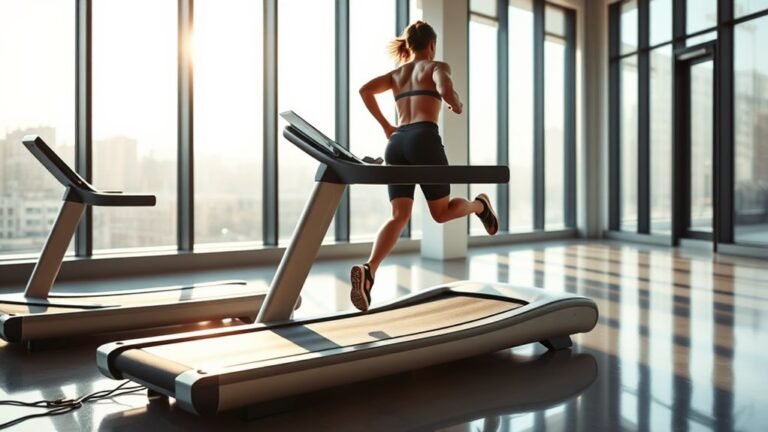
When your treadmill shows you’ve run a mile, you’ve covered exactly 5,280 feet, which is the standard mile length. But here’s the catch — that distance is only accurate if the treadmill’s calibration and sensors are working properly.
Mechanical issues, belt slippage, or incorrect settings can throw off the distance measurement. So, your treadmill might say you ran a mile, but the actual distance could be a bit different.
To be sure, try comparing your treadmill data with GPS tracking or running on a known measured distance outdoors. That way, you can double-check its accuracy.
If you want your workouts to reflect true progress, understanding these factors is super helpful. It makes all the difference as you keep exploring and improving your running routine.
Key Takeaways
- A mile on a treadmill is exactly 5,280 feet or 1,609.34 meters regardless of location or treadmill model.
- Treadmills calculate distance by counting belt rotations converted to miles using the belt’s fixed circumference.
- Accurate treadmill distance depends on proper calibration of belt speed, alignment, and sensor functionality.
- Calibration issues like belt slippage or sensor faults can cause treadmill mile measurements to be inaccurate.
- For best accuracy, verify treadmill distance with GPS devices or smartphone apps during workouts.
Understanding the Standard Length of a Mile
How long is a mile, exactly? A mile is a fixed distance of 5,280 feet or 1,609.34 meters. Whether you’re running outside or on a treadmill, that distance doesn’t change.
When you think about covering a mile, you can picture a specific length that stays consistent no matter where you are. This standard measurement helps you track your progress accurately and compare your performance over time.
So when your treadmill shows you’ve run a mile, it means you’ve covered that exact distance, assuming the machine’s calibration is correct. Knowing this helps you set realistic goals and measure improvements precisely.
That way, your workouts become more effective and meaningful. Understanding this standard length is the first step to making the most of your treadmill sessions.
How Treadmills Measure Distance

Once you know that a mile is a set distance, the next question is how treadmills track that distance as you run or walk. Treadmills measure distance based on the rotation of their belt.
Sensors count belt rotations and convert them into distance using the belt’s circumference. This method allows the machine to display how far you’ve traveled in real time.
| Component | Function | Measurement Role |
|---|---|---|
| Belt | Rotates under your feet | Distance tracking basis |
| Sensor | Detects belt rotations | Counts rotations |
| Computer | Calculates distance | Converts rotations to miles |
Factors Affecting Treadmill Distance Accuracy
Although treadmills provide convenient distance measurements, several factors can affect their accuracy. First, variations in belt speed calibration can cause the treadmill to overestimate or underestimate your distance. Even slight discrepancies in motor function or sensor readings impact the displayed distance.
Second, your running style influences accuracy; inconsistent foot strikes or uneven pacing can lead to errors in distance tracking.
Third, environmental factors like power fluctuations or mechanical wear affect the treadmill’s components, altering measurement precision.
Lastly, changes in incline settings may modify belt tension and speed, subtly affecting distance calculation. Being aware of these factors helps you interpret treadmill readings more realistically and adjust your training expectations accordingly.
Common Calibration Issues With Treadmills
When you rely on a treadmill for accurate distance tracking, calibration issues can quickly undermine your progress. One common problem is the misalignment of the belt, which can cause the machine to overestimate or underestimate your actual distance.
Calibration problems like belt misalignment can cause your treadmill to misreport the distance you’ve actually covered.
If the belt slips or doesn’t rotate smoothly, the treadmill’s sensors may send incorrect data to the console. It’s frustrating because that means your workout stats aren’t really reflecting what you’re doing.
Another issue is outdated or faulty speed sensors. If they’re not functioning properly, the displayed speed and distance won’t match your true effort.
Also, some treadmills come with preset calibration settings that don’t quite match your specific model or how you use it. That mismatch can lead to inaccuracies, which nobody wants.
Comparing Treadmill Distance to Outdoor Running
Since treadmill measurements rely on mechanical sensors, the distance you see on the display might not match what you’d cover running outdoors. When you run outside, factors like terrain, wind, and GPS accuracy influence your actual distance.
On a treadmill, the belt speed and calibration determine the distance shown, which can sometimes be slightly off. Understanding these differences helps you interpret your workouts more realistically.
| Factor | Treadmill Running | Outdoor Running |
|---|---|---|
| Distance Accuracy | Depends on calibration | Depends on GPS/device |
| Terrain | Constant, flat | Variable, includes hills |
| Environmental Impact | Controlled indoor environment | Weather, wind, temperature |
| Pace Consistency | Easier to maintain | Variable due to conditions |
| Measurement Tools | Mechanical sensors, belt speed | GPS, mapping apps |
Tips for Verifying Treadmill Mileage
Understanding the potential discrepancies between treadmill and outdoor distances can help you better assess your workouts. To verify your treadmill mileage, start by calibrating the machine if it offers that option. Many treadmills allow manual calibration to improve accuracy.
You can also use a GPS watch or smartphone app during your treadmill session by holding it steady or placing it nearby to compare distances. Another method is measuring a known distance on the treadmill belt, then running it at a steady pace to check the displayed mileage.
Finally, consult your treadmill’s manual or manufacturer’s website for specific calibration instructions or known accuracy issues. These steps help guarantee your treadmill readings closely reflect your actual workout distances.
Adjusting Your Workout Based on Treadmill Readings
Although treadmill readings might not always match outdoor distances perfectly, you can still rely on them to tailor your workouts effectively. Use the treadmill’s data as a baseline to adjust your routine and meet your goals.
Treadmill readings may vary, but they’re reliable enough to customize and optimize your workouts.
Here’s how you can do it:
- Pace Control: Monitor your speed and adjust it if the treadmill’s incline or belt calibration affects your pace perception.
- Distance Goals: Trust the treadmill’s distance display to pace your workout segments, but listen to your body if something feels off.
- Interval Training: Use the treadmill’s timing and speed settings to structure intervals precisely, helping improve your speed and endurance systematically.
When to Trust Treadmill Distance and When to Use Alternatives
You can usually trust treadmill distance for quick workouts or general pacing, but errors can happen due to calibration or belt slippage.
When accuracy matters, like for race training, consider alternatives like GPS watches or measured outdoor routes. Knowing when to rely on each method helps you track your progress more precisely.
Treadmill Distance Accuracy
When you step onto a treadmill, the distance it displays might seem reliable, but it can sometimes mislead you. Treadmill distance accuracy depends on several factors you should consider:
- Calibration: If the treadmill isn’t calibrated properly, the distance can be off. Manufacturers usually recommend periodic calibration.
- Belt Speed Consistency: Changes in belt speed during your workout can affect distance readings. Inconsistent speed means inaccurate distance.
- User Running Style: Your foot strike and positioning can slightly influence the treadmill’s sensors, causing minor discrepancies.
You can trust treadmill distance most when the machine is well-maintained, calibrated regularly, and you run at a steady pace. Otherwise, keep in mind that slight errors might appear, so don’t rely solely on the treadmill’s display for precise distance tracking.
Alternative Distance Measurements
Since treadmill distance can sometimes be inaccurate, it’s smart to know when to trust its readings and when to rely on alternative methods.
You can usually trust treadmill distance during steady-paced runs on well-maintained machines. However, if the belt slips or calibration is off, alternative measurements become valuable.
GPS devices or smartphone apps provide accurate outdoor tracking and can supplement treadmill data, especially for varied speeds or intervals.
Here’s a quick guide to help you decide:
| Situation | Best Measurement Method |
|---|---|
| Steady treadmill run | Treadmill display |
| Variable speed or incline | GPS or running apps |
| Calibration uncertainty | External distance tools |
Frequently Asked Questions
Can Treadmill Incline Affect the Perceived Difficulty of a Mile?
Yes, treadmill incline definitely affects how hard a mile feels. When you increase the incline, you engage more muscles and boost intensity, making your workout tougher even if the distance stays the same.
It’s kind of like walking uphill outside — your body has to work harder. So, even though you’re covering the same mile, it can feel way more challenging.
How Does Treadmill Speed Calibration Impact Workout Intensity?
Treadmill speed calibration directly impacts your workout intensity because if the speed is inaccurate, you might think you’re running faster or slower than you are.
Accurate calibration ensures you train at the right effort level for your goals.
Are Treadmill Miles Equivalent to Cycling Miles in Calories Burned?
You won’t find treadmill and cycling miles equal in calories burned because each is a different dance of muscles and resistance.
Your body’s effort paints unique strokes, so calories vary like colors on distinct canvases.
Do Different Treadmill Brands Measure Distance Differently?
Yes, different treadmill brands can measure distance slightly differently due to calibration and sensor variations.
It’s pretty common for treadmills to have small discrepancies in how they track your distance.
You should calibrate your treadmill or use a GPS watch for more accurate distance tracking during your workouts.
That way, you get a better idea of how far you’ve actually gone, no matter which brand you’re using.
How Can Treadmill Usage Affect Joint Health Over Time?
Think of your joints as gears in a clock; treadmill use can cause wear if you don’t mix things up.
You’ll protect them by balancing treadmill workouts with low-impact activities and proper form over time.
It’s all about giving your body variety and care so your joints stay healthy longer.
Conclusion
Now that you know how treadmills measure a mile and the factors that can throw off their accuracy, you might wonder—can you really trust that number? Sometimes, the distance feels spot-on; other times, it leaves you questioning your effort.
The key is knowing when to rely on your treadmill and when to double-check with other methods. Ready to take control of your workouts?
The truth about your treadmill’s mile might surprise you more than you think. Understanding how long a mile on a treadmill accurately measures can help you set realistic goals and track your progress better. So, next time you step on the treadmill, remember to consider these accuracy factors and maybe even use a GPS watch or track outside for comparison. That way, you’ll get the most out of every mile you run—both on and off the treadmill.